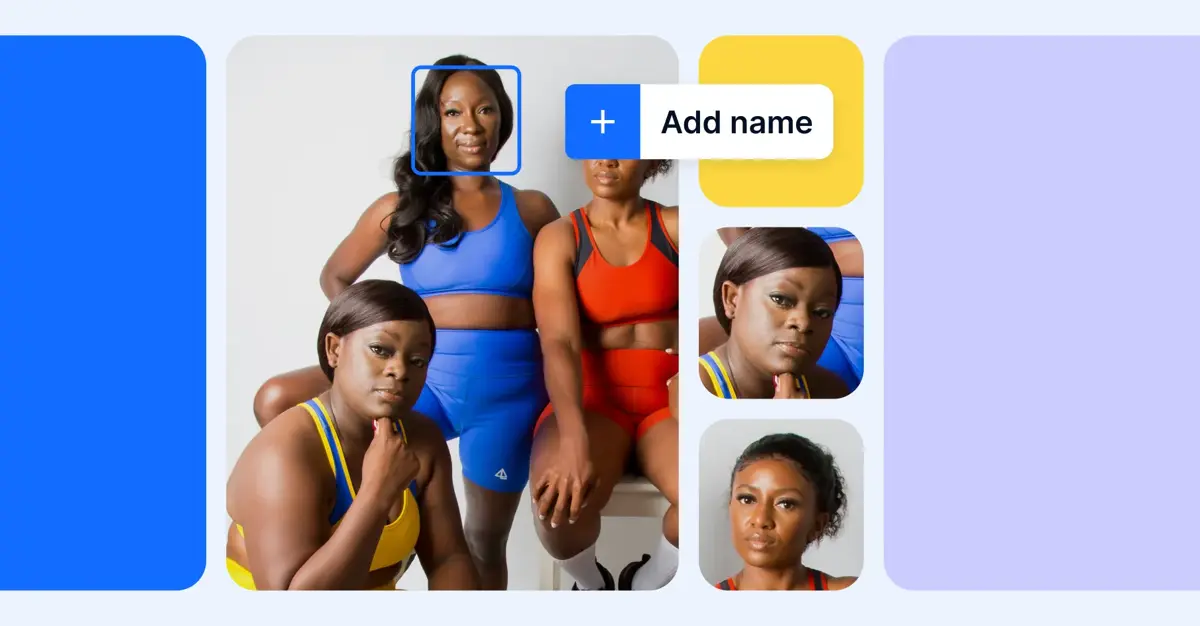
Facial recognition search is an AI-driven technology that finds images or videos of a specific person by analyzing and matching the distinct features of their face. In a digital asset management (DAM) system, it works by automatically detecting faces and tagging the images that contain each person, so a team can find every image of a given individual quickly and accurately, even across libraries with millions of files and inconsistent file names.
For enterprises managing large image libraries, this matters: teams stop losing hours manually hunting for the right headshot, event photo, or campaign shot, and can instead find the specific images they need on demand. This guide covers what facial recognition search is, how it works, its benefits and use cases in a DAM, the privacy considerations that come with it, and how to choose the right solution.
Key takeaways
- Facial recognition search automatically detects faces and tags the images that contain each person. After someone is tagged once, the system applies that tag across past and future uploads.
- The core benefits are less admin time, consistent tagging, faster discovery, and higher content ROI through reuse.
- It's especially valuable for HR, event, marketing, and communications teams managing people-featured images at scale.
- Responsible use depends on consent, clear governance, and compliance with biometric-data regulations.
TABLE OF CONTENTS
- What is facial recognition search?
- How does facial recognition search work?
- Facial recognition search in a DAM
- Benefits of facial recognition search in DAM
- Facial recognition search use cases
- Privacy, consent, and compliance
- How to choose a DAM with facial recognition
- The future of AI-powered search
- Frequently asked questions
What is facial recognition search?
Facial recognition search is a form of AI-powered visual search that locates images or videos containing a specific person by analyzing the unique geometry of their face. Rather than relying on file names or manual descriptions, it identifies who is in an image and lets users find every image featuring that individual.
Modern facial recognition uses deep learning to analyze complex facial patterns with a high degree of accuracy. The same underlying capability powers everyday tasks like unlocking a phone or organizing personal photo libraries, and increasingly, it's how organizations manage visual content at scale, making large image libraries searchable by the people who appear in them.
How does facial recognition search work?
Facial recognition search works in three stages: it detects faces in an image, analyzes each face into a mathematical representation, and then matches that representation against known faces to identify the person.
- Face detection. When an image is uploaded, the system scans and indexes it to locate any faces present.
- Facial analysis. It then measures distinct facial features (eye spacing, lip contour, cheekbone structure, and more) and converts them into a unique numerical "feature vector."
- Matching and recognition. The feature vector is compared against previously stored patterns to identify the person or suggest likely matches. When a user confirms a match and links it to a name, the system learns: each confirmation improves accuracy, and the more images in the library, the more likely a future face is matched correctly.
It's worth distinguishing face detection (finding that a face exists in an image) from face recognition (identifying whose face it is). A DAM uses both: detection to index images on upload, and recognition to connect faces to named individuals so those images become searchable by person.
Facial recognition search in a DAM
In a DAM, facial recognition search makes large image libraries searchable and self-serve by automatically tagging the images that contain each person as they're added. Instead of manually labeling thousands of images, teams tag a person once and let the system apply that tag consistently across existing and future uploads.
Inside a governed system of record, facial recognition adds accurate metadata to every image it processes, so anyone can find images of a specific person by searching their name or applying a smart filter. With Bynder, our AI-powered Face Recognition feature is one of several AI Search Experience capabilities, working alongside tools like natural language and similarity search to make people-featured images easy to find and reuse.
Benefits of facial recognition search in DAM
The benefits of facial recognition search fall into three areas: operational efficiency, productivity gains, and financial returns.
Faster content discovery (operational efficiency). Teams find images of specific individuals quickly and accurately across large libraries, even when descriptions or file names are missing or inconsistent, removing one of the most common day-to-day time sinks.
Less admin work and more consistent tagging (productivity gains). Because the system tags a person automatically after a single confirmation, it eliminates repetitive manual tagging and enforces consistent naming across large libraries. Confirming suggestions on upload creates a continual learning loop that improves accuracy over time, so images stay correctly organized as the library grows.
Higher content ROI (financial returns). When images are easy to find, teams reuse the images they already have instead of recreating or re-licensing them. They can quickly pull the right people-featured images for omnichannel campaigns across social, email, blog, and ads, getting more value from every image in the library.
Facial recognition search use cases
Facial recognition search supports any team that manages a high volume of people-featured images. Two examples show the impact.
Formula 1 team Sauber generates over 1,000 images across a single three-day race weekend, with internal teams, 50-plus sponsors, and media partners all needing access in real time. With Bynder's facial recognition search, the comms team detects individuals on upload and can search for drivers, engineers, and mechanics by name to find and distribute the right images fast, without manually reviewing every shot.
BDA Inc. used Bynder's facial recognition search to tag roughly 22,000 employee headshots, event photos, and logos 27 times faster than manual tagging, making a project that would otherwise have taken days both accurate and scalable.
Common use cases include:
- HR and internal comms teams sourcing employee or executive images for awards, publications, and team documentation.
- Event organizers managing images of VIPs, attendees, speakers, and sponsor representatives.
- Marketing teams coordinating campaign images featuring brand ambassadors or public figures.
- Legal and compliance teams verifying permissioned use of employee or talent images.
Privacy, consent, and compliance
Because facial recognition processes biometric data, responsible use depends on consent, governance, and regulatory compliance. Biometric identifiers are treated as sensitive personal data under regulations such as the EU's GDPR and Illinois' Biometric Information Privacy Act (BIPA), so organizations should confirm they have a lawful basis and appropriate permissions before enrolling individuals.
A well-governed DAM helps teams manage this responsibly. Role-based permissions control who can view and use people-featured images, usage rights and expiration dates keep talent and employee images compliant, and a single system of record makes it clear how each image can be used across channels. The goal is human-led, AI-powered content operations: the technology accelerates tagging and discovery, while people retain control over consent, access, and how images are used.
How to choose a DAM with facial recognition
The right DAM pairs accurate facial recognition with strong governance and easy integration. When evaluating options, look for a few essentials:
- Accuracy that improves over time: a system that learns from confirmed matches rather than requiring constant manual correction.
- Automatic tagging across existing and new images, so the value applies to your whole library, not just future uploads.
- Governance and permissions: role-based access, usage rights, and expiration tracking to keep biometric and licensed content compliant.
- A broader AI search toolkit, because facial recognition is most powerful alongside capabilities like text-in-image, natural language, and similarity search.
- Integrations that connect to the tools your teams already use, so tagged images flow into campaigns and channels without re-uploading.
The future of AI-powered search
Facial recognition is one part of a broader shift toward AI-powered content discovery, where search understands what's in an image rather than just its metadata. That points toward context-aware, agentic AI that can enrich, tag, and organize images across the library automatically, while staying human-led, so teams set the guardrails and own the outcome.
With Bynder, Face Recognition sits alongside AI Search Experience capabilities like Text-in-Image Search, Natural Language Search, Speech-to-Text, Duplicate Finder, Similarity Search, and Search by Image, a toolkit designed to make even the largest libraries searchable by their content, not just their file names. The result is more value from every image, less time lost to manual work, and content operations that scale without adding headcount.
Frequently asked questions
What is facial recognition search in DAM?
How accurate is facial recognition search?
What's the difference between face detection and face recognition?
Is facial recognition search in a DAM compliant with privacy laws?
Who uses facial recognition search?
How does facial recognition search improve content ROI?
See facial recognition search in action
Facial recognition search turns large image libraries into a searchable, well-governed resource, saving admin time and getting more value from every image. With Bynder, it's one of many AI-powered capabilities that help more than 4,000 of the world's most iconic brands manage content at scale. Book a Bynder demo to see AI Search Experience in action.
RELATED READING
- Bynder AI
- How Sauber Group fuels omnichannel content experiences with Bynder AI
- What is digital asset management?